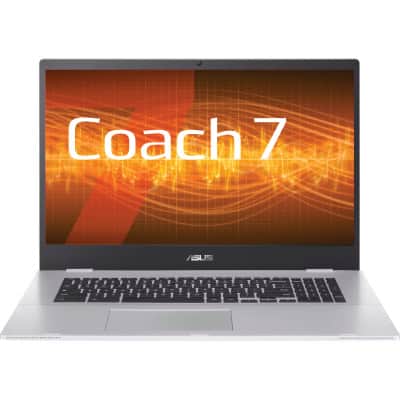
The most versatile software for digital science education
The Coach 7 software enables science teachers to improve their students’ digital skills and deepen their understanding of physics, chemistry, and biology.
The most versatile software for Science and STEM education
Coach 7 is more than just data logging. The award-winning software integrates various tools that help students develop their digital STEM skills and learn in an inquiry-based way. The software can be installed on all school devices, whether laptops, tablets, or Chromebooks.
Students can work in virtually the same way as professionals: collecting high-quality real-time data, constructing and using computer models, using simulations and visualizations, and comparing results from experiments, models, and theory.
The software contains more than 500 lesson plans that align with the science curriculum. Created by teachers..
A small selection of Coach’s possibilities:
Measuring with sensors
The Measurement activities make it possible to collect real-time data via an interface and sensors. The sensors are automatically recognized (plug & play), and you can measure with multiple sensors simultaneously.
You can display the measurement results in a data table or graph.
Data analysis
Analysis and processing functions include: slope, area under graph, function fit, graphing derivatives and creating integrals, calculating new variables, calculating a frequency spectrum, finding statistical data, and creating a histogram.
Modeling
With Coach, you can investigate models of dynamically changing systems, but you can also build them yourself. Students can use graphical or text models to test hypotheses or to compare experimental data with model data.
Video measurement
With video measurement, students can collect data from videos manually or automatically. Graphs are synchronized with the video frames. Students can record their own videos using a camera or mobile phone.
Programming, measure and control
With Coach, it is also possible to program control systems using WiLab or CoachLab II+, such as a traffic light, smart home, or a titrator.
Animations
The Animation environment consists of animated graphic objects and interactive control objects (such as sliders) that can change the value of variables.
Teaching materials for teachers and curriculum developers
To help teachers get started with using Coach 7 and digital measurement and work, CMA offers ready-made teaching and learning activities. You can use these activities directly in your lessons or adapt them to your own needs.
But Coach 7 offers more. It enables you to build activities with your own learning content. When logged in as an author, you can modify an existing activity or create a new one using exactly the tools needed for the desired level of the students. Insert your own text, images, videos, questions, and assignments for students. Create a screen layout in Coach 7 exactly as you want.
The CMA teaching materials are free for our Coach 7 users. Simply register with your Coach 7 License Code. Log in and freely view and download the Activities.